
Use MoroView online, without installing an app.
The browser is the available way to try MoroView today. Have an up-to-date browser, your own source and an internet connection ready. Media support depends on your device.
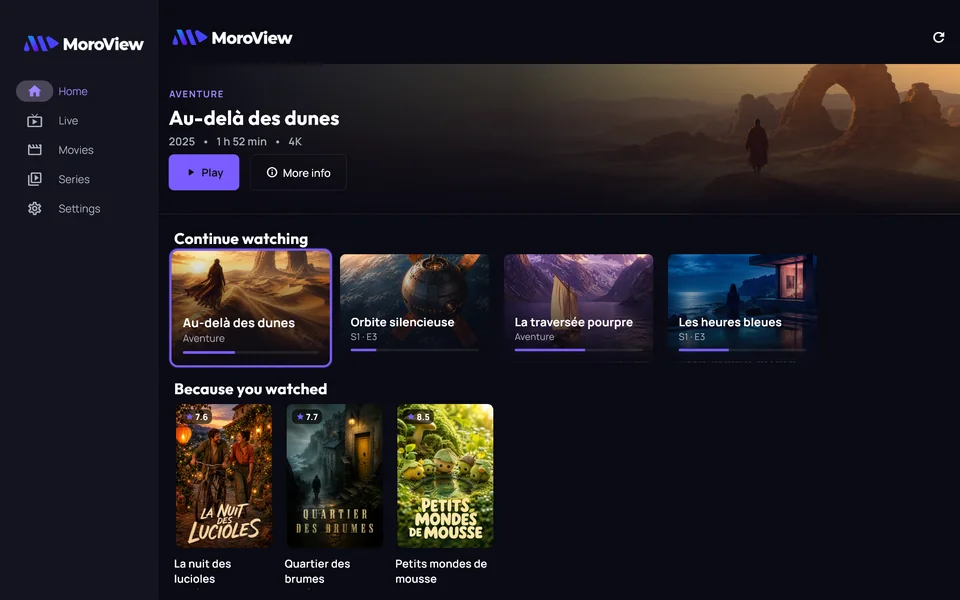
Open the player from the official website
- From moroview.com, select Open the app. The player opens at a separate address from the commercial website.
- Wait for the interface to load. Sign in to your MoroView account, or follow account creation if offered.
- Choose your language and open Sources to begin setup.
Bookmark the player after opening it. A bookmark for the commercial homepage takes you back to the product website. The app and website serve different purposes.
Add your first source
In Add source, choose M3U playlist for a playlist URL, or Xtream Codes API for a server with a username and password. Give the source a name to recognise it later.
For M3U, EPG / XMLTV URL (optional) lets you supply a programme guide. For Xtream, enter the provider’s details in the dedicated fields. Select Save source and wait for the connection test. The M3U and Xtream tutorial (French) explains the fields.
MoroView supplies no playlist. Without your own source, it cannot create a catalogue for you. If you have the playlist as a text file, the local M3U checker can identify structure issues; the player itself expects a URL.
Check one item before going further
- Open a category from your source and select an item you are entitled to access.
- Click or tap to start playback, then check sound and picture.
- Return to the catalogue and try a favourite. If you configured a guide, check a live programme entry.
A successful import does not prove that every stream is playable on the web. Source access restrictions or an unsupported codec can prevent playback. See the web playback troubleshooting article (French) for more detail.
Return to MoroView next time
Keep the player in your bookmarks or use your browser’s shortcut option. Device-specific guides are currently in French: Edge on Windows, Chrome on Android, Safari on iPhone and iPad and Safari on Mac.
A shortcut still opens the web version. It adds no native codecs and does not make a remote source available offline. On a shared computer, sign out at the end and avoid saving credentials in a browser profile other people can access.