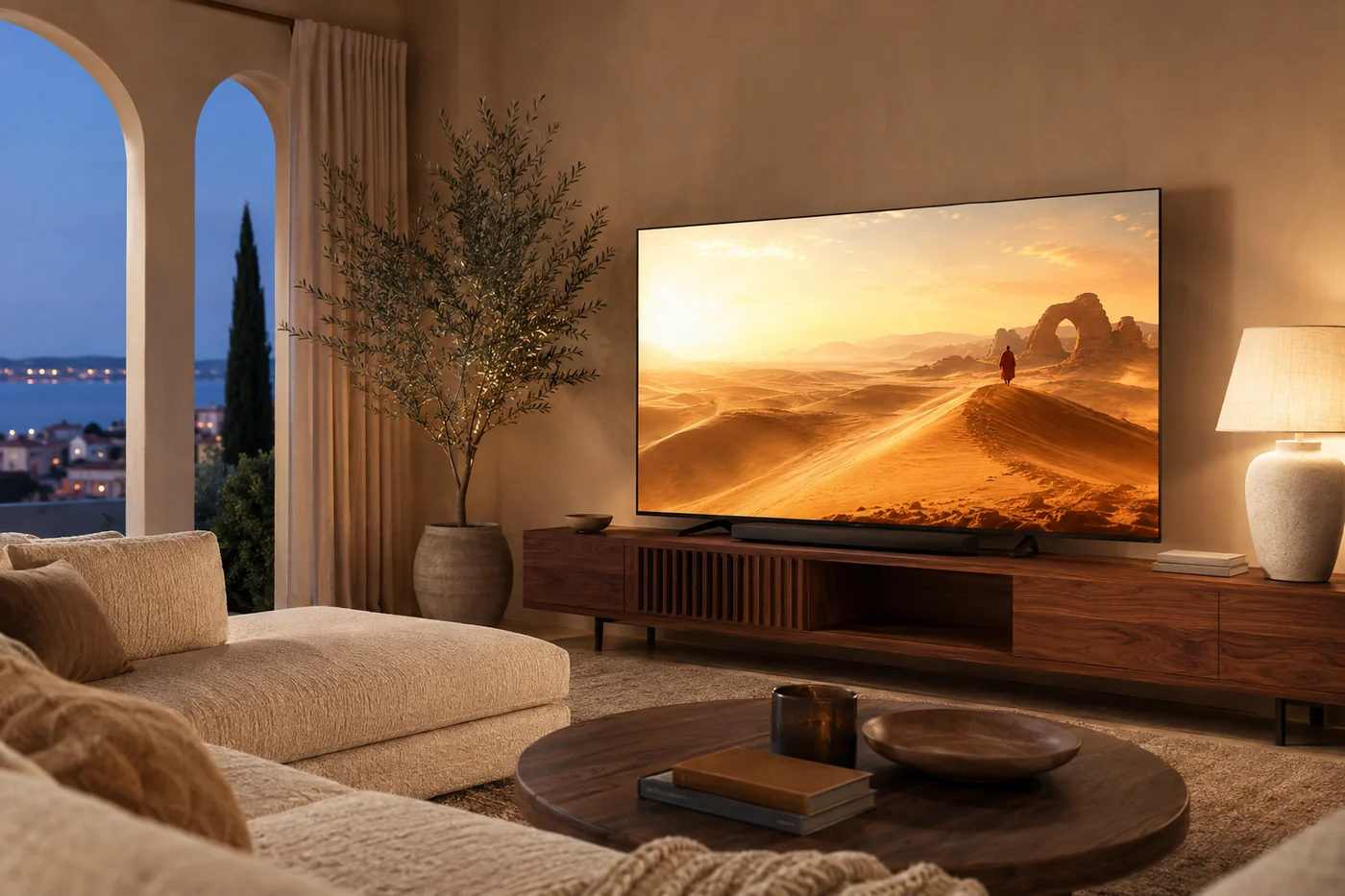
Bring your own sources. No content included. Native apps are in preparation.
Your live TV
Your favourites
Your TV guide
Your space, on a bigger screen.
Start in your browser, with nothing to install.
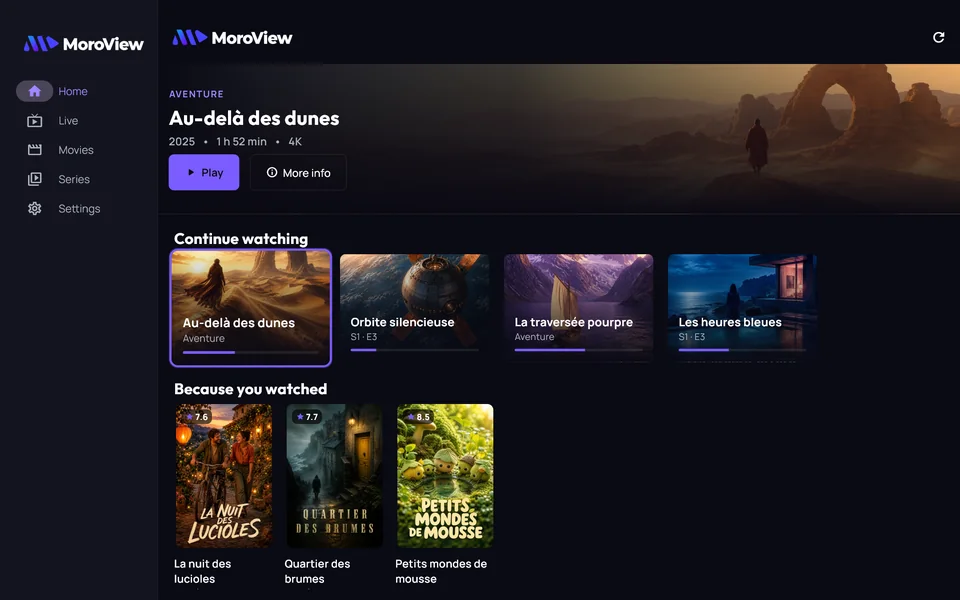
App screenshots · Fictional catalogue
End-to-end encrypted sync
No MAC address, no portal
Account data hosted in the EU
Français · English · العربية
One account · Unlimited profiles
Why MoroView
A premium player. No portal. No content.
Three promises, each with its proof inside the app — and one principle we never negotiate: MoroView sells software, never content.
One account, every screen
The same account on the web today, then in the Android, Windows and Samsung Tizen apps when they are released. Your sources, favourites, history and profiles follow you. A TV pairs with a QR code or a six-character code in seconds.
One account, a plan for your devices
Your credentials, encrypted on your device
Your source credentials are encrypted on your device before any sync: our database keeps only a vault it cannot open. In the web version, your requests to your provider go through our relay, which forwards them without recording them. No web portal, no MAC address, no plaintext storage.
PBKDF2 600,000 iterations · AES-256-GCM · EU hosted
Premium, in your language
French, English and Arabic with full right-to-left layout — down to remote-control navigation. Smooth TV guide, profiles, kids mode, resume: the comfort of a big service, for your sources.
Your sources, on every screen
Honest when it drops
The built-in diagnostic tells you whether the problem is the app, your connection or your provider — with measurements, not guesses. You know what to do, and whom to tell.
Reachability · latency · throughput · account status
Built for the living room
The backdrop is the title you’re looking at.
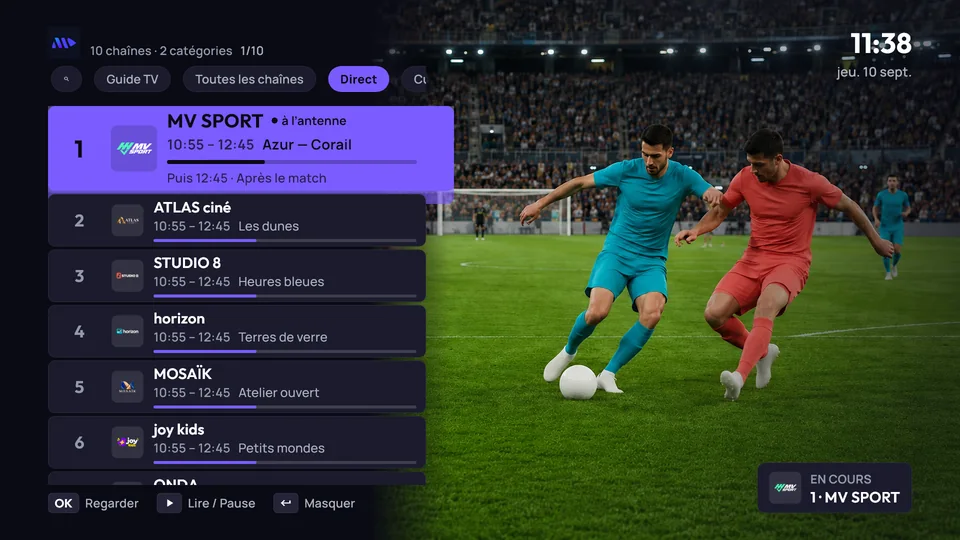
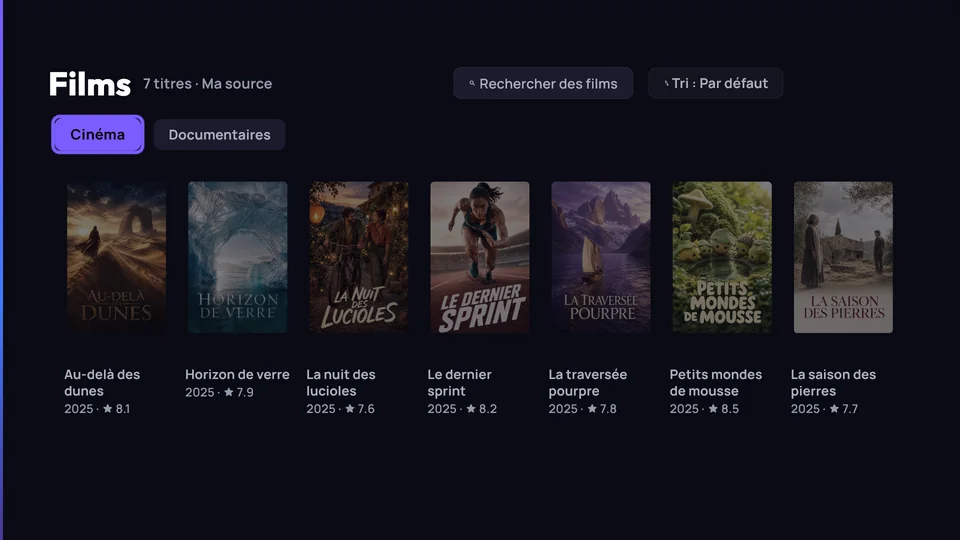
On TV, MoroView disappears behind your programmes: no permanent menu, a focus that dominates, text never smaller than 24 px, and a remote that answers one command at a time. Below, real captures of the app.
Real capture of the app on a TV (1920 × 1080). Fictional titles, posters and channels created for the demo.
Live: the channel plays full-screen, the list comes on top.Movies: your catalogues, with categories, search and sort.
Ready in three steps
Settle in. We keep it simple.
MoroView is your player. You choose the sources you want in it — the app supplies no credentials, no playlists, no provider.
Open MoroView
In your browser, with nothing to install — native apps are in preparation. Create your account with an e-mail address and a password.
Add your source
An M3U/M3U8 playlist, an Xtream account and, if you like, an XMLTV guide — obtained from your provider. MoroView checks the connection before saving.
Move to the big screen
When your TV runs MoroView (the Samsung version is in testing), scan the QR code or type the six-character code. Your sources and landmarks arrive in seconds.
Your screens
Every screen, the same clarity.
The same account, the same home — real captures on a computer and a phone.
Platform names identify target environments; they imply no partnership. Web playback has been validated in Chrome on a computer; it also depends on the format of your streams, and some formats (MPEG-TS, H.265) may not play in a browser. No activation fee. No MAC address.
Simple pricing
Pay for screens, not for people
Profiles are unlimited on every plan, kid profiles included. A plan is simply how many devices can be linked to your account.
Announced plans. Payments and recharge codes are not available yet, and the native and TV apps are in preparation. The buttons open the web app.
Extra device — €5 a year each, up to four on any paid plan.
7-day free trial — Individual is free for a week when you pair your first TV. No card needed.
Pay your way — monthly, yearly, or with a recharge code sold in stores. Time adds up; upgrades are prorated.
14-day refund — no questions asked.
How devices are counted
A device is an installation signed in to your account: a phone, a tablet, a computer, a browser or a paired TV.
Remove a device any time, from any device on the account — up to five removals a month.
A device unused for 90 days no longer counts.
Moving to a smaller plan never disconnects a device. It only blocks new ones until you are back under the limit.
When a plan ends, sync and pairing stop; every device keeps playing what it already has. Local playback is never cut off.
MoroView is a player. We provide, host and recommend no content — you connect your own, legally-obtained sources. No plan includes channels or simultaneous streams: those depend on your provider.
Your space stays yours
Your vault stays unreadable to us.
The current app never sends us your password in clear: on your device it derives a vault key and a simple verifier to sign you in. Your source credentials are encrypted before they are synced, and without your password we cannot open that vault. In the web version, calls to your provider go through our relay: it sees the requested address, credentials included, for the duration of the request, and does not record it.
AES-256-GCM, key derived with PBKDF2-HMAC-SHA256 (600,000 iterations)
No activation portal, no MAC address, no credentials stored in clear
Export and delete your data from within the app
Account data hosted in Frankfurt, in the European Union
Without your password, nobody — not even us — can open your vault.
Does MoroView provide channels, movies or playlists?
No. MoroView is only a media player: it does not provide, host or recommend any content, channel or playlist. You connect your own M3U or Xtream sources, obtained legally from your provider. MoroView is not affiliated with any content provider.
Which sources can I add?
M3U/M3U8 playlists, Xtream accounts and an XMLTV guide. Playback depends on formats, codecs and your device: in a browser some streams (MPEG-TS, H.265…) may not play; the native apps, in preparation, will play more of them.
Do I need a MAC address or an activation portal?
No — that is the whole point of MoroView. Your devices join your account with a QR code or a six-character code, in seconds. No web portal, no per-TV activation fee, no credentials handed to a third party.
What does the MoroView server see of my sources?
For sync, an encrypted vault it cannot open: your source credentials are encrypted on your device (AES-256-GCM, key derived from your password with PBKDF2, 600,000 iterations). In the web version, our relay also sees, for the duration of each request, the address sent to your provider, credentials included: it forwards it without recording it. What the relay sees.
How much does MoroView cost?
Four plans are announced: Free at €0 for 1 device; Individual at €15 a year or €1.90 a month for 2 devices; Couple at €24 a year or €2.90 a month for 4 devices; Family at €36 a year or €3.90 a month for 6 devices. Profiles are unlimited, kid profiles included. Payment is not open yet. No plan includes content.
How do I use MoroView on my TV?
On a TV running MoroView, open pairing, then scan the QR code or type the six-character code from your phone or computer. The Samsung Tizen version is in testing; no date has been announced for Android TV.
It drops. Whose fault is it?
The built-in diagnostic checks your source’s reachability, its response time, your provider account status and your throughput. It tells an access refusal from a slow source or a weak connection — so you know what to do, and whom to tell.
Available versions, in one place.
The web app is available; its playback has been validated in Chrome on a computer, not yet in other browsers. Native apps are in preparation with no announced date: check the guides. Email notifications are not available yet; no email address is collected here.
Download MoroView from this site or official app stores, according to each version’s availability. Announced recharge codes are not on sale yet. No plan includes content. Beware of clones.
MoroView is a media player. It does not provide, host or recommend any content, channel or playlist. You connect only your own sources, obtained legally from your provider. The Premium subscription unlocks app features only — it includes no content. MoroView is not affiliated with any content provider and circumvents no technical protection.





 Android